
November 12, 2026 Eventy November 2026 Update
Hello everyone!
It's been a while since our last newsletter, and we've been busy making Eventy even more useful for your community. From bringing a friend along to collecting the details you need before an event, there's plenty to catch up on. Let's take a look!
Bring a friend along
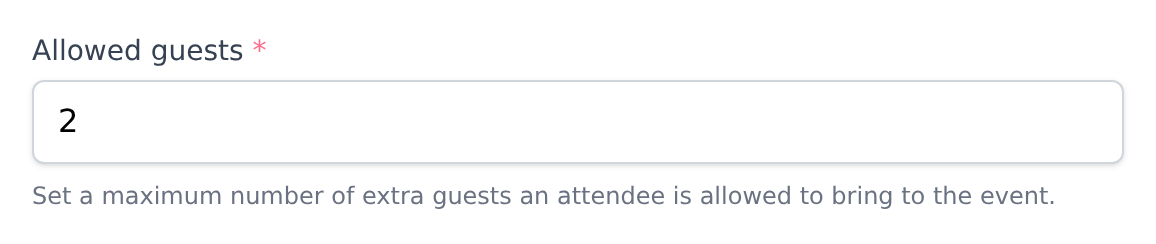
Attendees can now bring extra guests to your events! Organizers choose how many additional people each attendee can bring, and attendees select their guest count when they RSVP. Those extra places count towards your event's capacity, so you can welcome more people without losing track of the numbers.
Ask questions when people RSVP
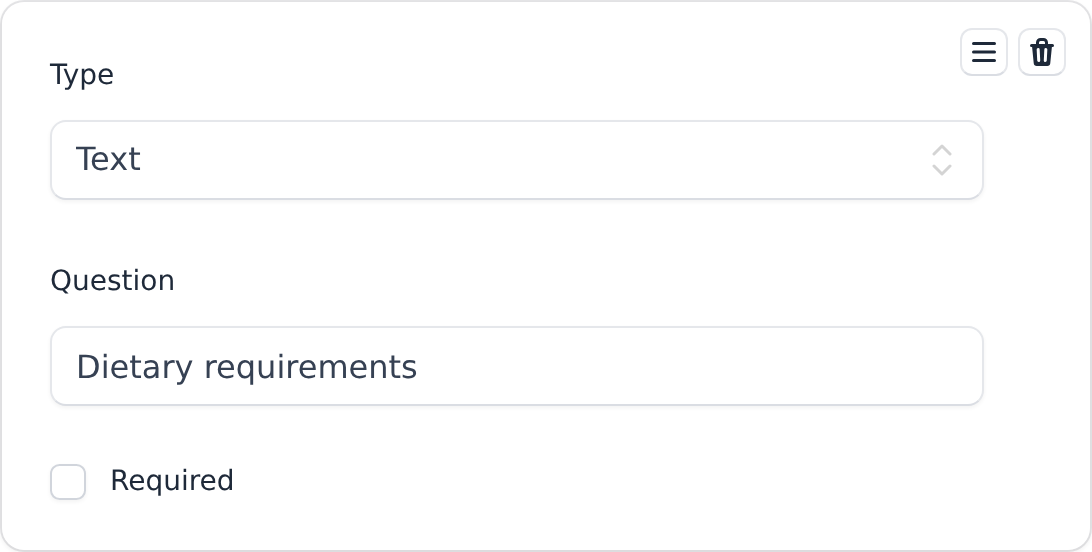
Need to know about dietary requirements, topic preferences, or something else before the meetup? Add your own RSVP questions from the Questions tab in your event settings. Choose text, single-choice, multiple-choice, or yes/no questions, and view each attendee's answers from the attendee dashboard.
Take your attendee list with you
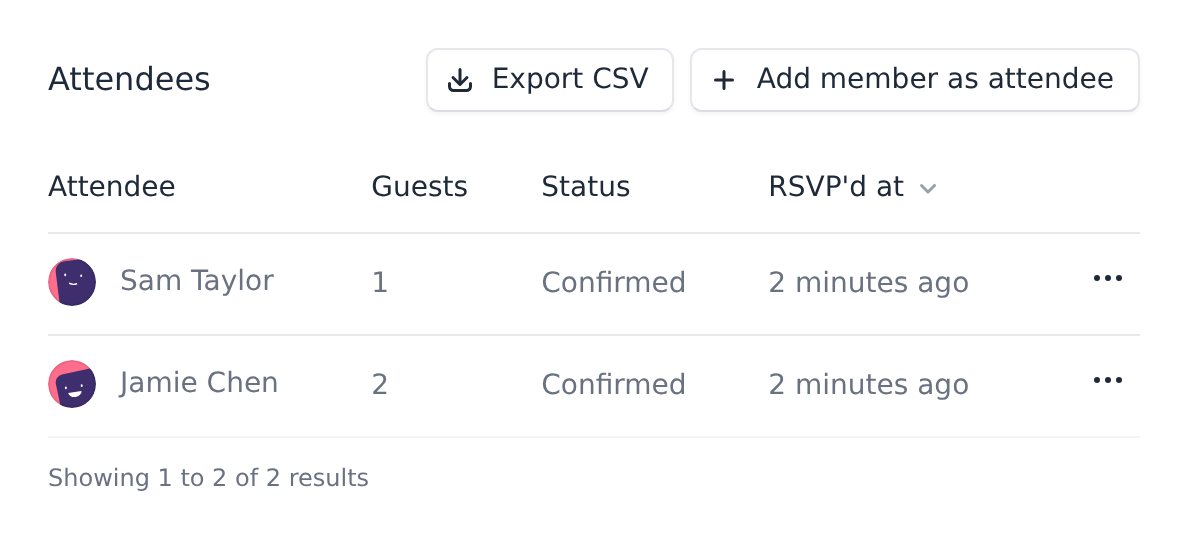
There's now an Export CSV button on your event's attendee dashboard. Download attendee names, additional guest counts, RSVP dates, and answers to your event questions in one file. Handy for preparing a check-in list or planning the catering!
More control over your attendees
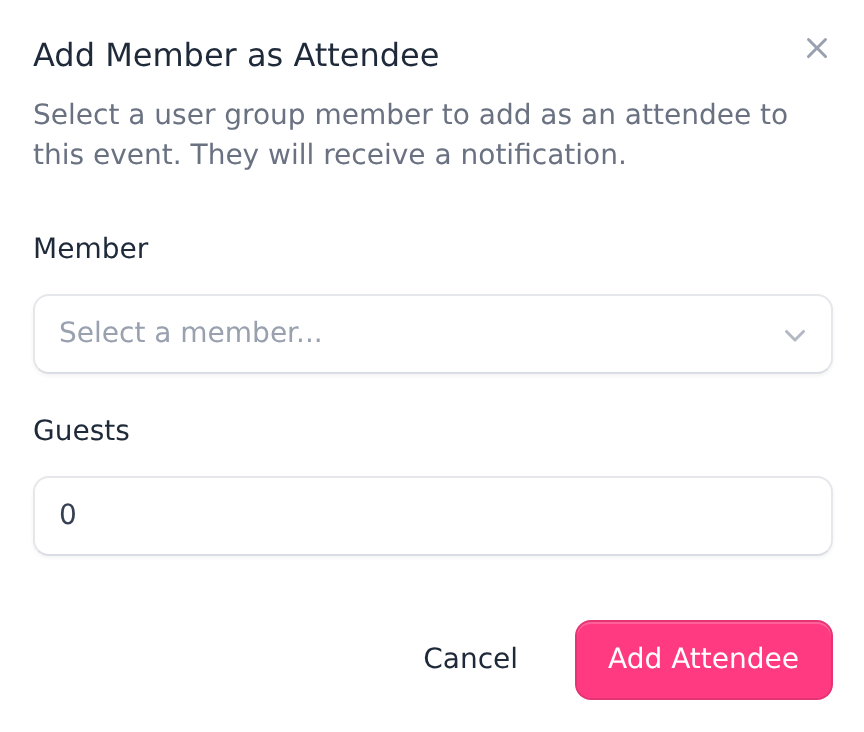
User group owners and leaders can now add existing group members as attendees directly from the dashboard. You can also update an attendee's guest count from their row's menu, making it easier to help someone out when their plans change.
RSVP without creating an account
Want to make it easier for newcomers to join an event? Turn on Allow RSVP without an account in your event settings. People can enter their name and email address, answer your questions, and confirm their attendance by email within 72 hours. Their place is only reserved once they confirm.
This is an optional setting for events whose user group doesn't require membership. Extra guests are still separate: they're the additional people an attendee brings along.

Grow your group with every RSVP
We've also added a Require membership for events setting to your user group. When it's enabled, signed-in attendees automatically become members when they RSVP, with a clear heads-up before they confirm. This setting is on by default; turn it off if you'd like to allow attendance without membership and enable accountless RSVPs.
Cancelling an RSVP won't remove someone's membership. If a member leaves a group that requires membership, their upcoming RSVPs with that group are cancelled, while their past attendance is kept.

Until next time!
That's it for now! Thank you for being part of Eventy. We hope these additions make your next event a little easier to organize and a little more welcoming. Give them a try in your event dashboard, and let us know what you'd love to see next.
As always, you can follow along on Twitter (X) and Bluesky for more updates.
Cheers, Rias & Dries
← Previous post
Eventy December 2025 Update